Tennis Elbow 4
(PC)


-
Kategorien:
-
Publisher:Mana Games
-
Entwickler:Mana Games
-
Releasedatum:23. Jan 2026 (vor 3 Monaten)
Key-Preisvergleich




Ausverkauft



Beschreibung
Tennis Elbow 4 jetzt günstig als Steam Key kaufen. Vergleiche die Preise aller Keyshops und spare beim Kauf eines Tennis Elbow 4 Game Keys.
Tennis Elbow 4 is the successor of Tennis Elbow 2013, acclaimed by many Steam reviewers as the most realistic tennis simulation ever.
TE4 pushes even deeper the realism of the tennis rallies by providing completely rehauled ball, strike & player physics.
Created by and for tennis fans, Tennis Elbow 4 is a tennis simulation with an easy and intuitive learning curve, but with exceptional gameplay depth.
In this tennis game, you'll have to show all your tactical skills, use an iron mind and quick reflexes, as well as a sharp eye to guess the ball trajectories, all of this to choose your next strike wisely.
To beat your opponent, you have the choice between all the possible strikes on a real court, from the safe strike to the acceleration, including the drop shot and the topspin lob.
Because of its numerous difficulty levels, this tennis simulation is designed for all tennis lovers, whether gamepad mashers or keyboard novices. In addition, a visual help system will assist you in aiming the ball and positioning your player. You can turn these options on and off whenever it suits you.
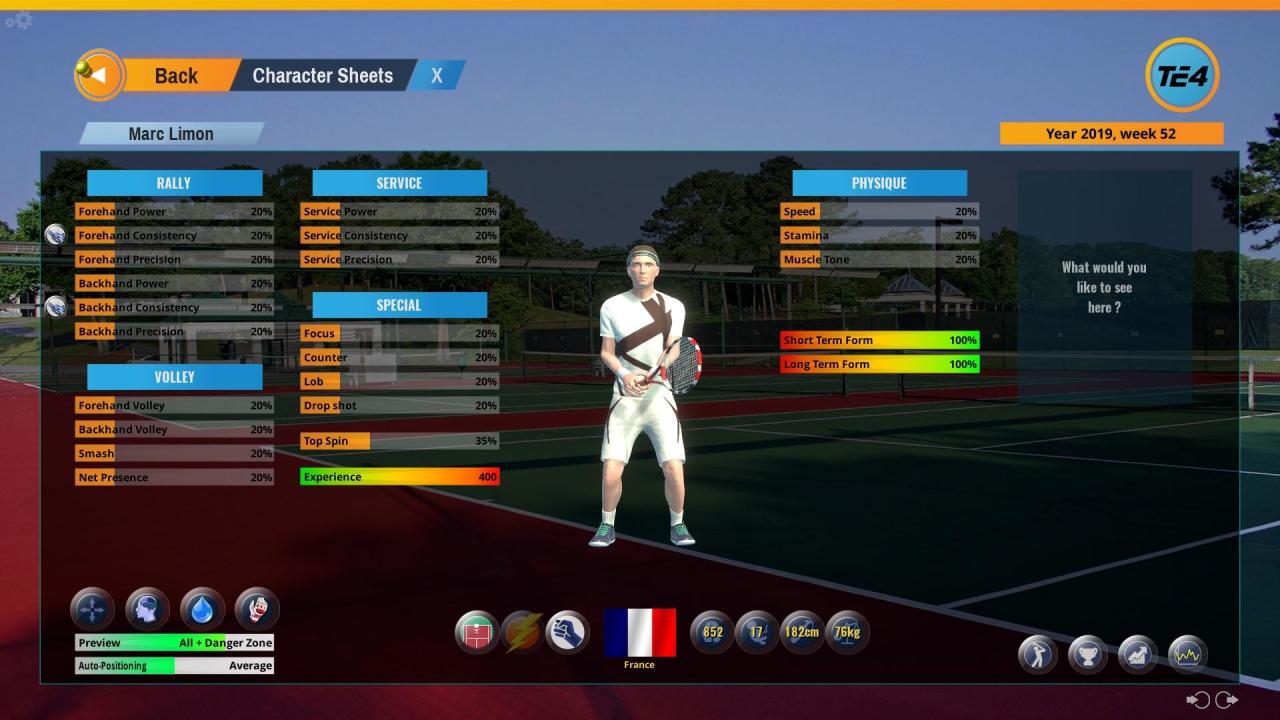
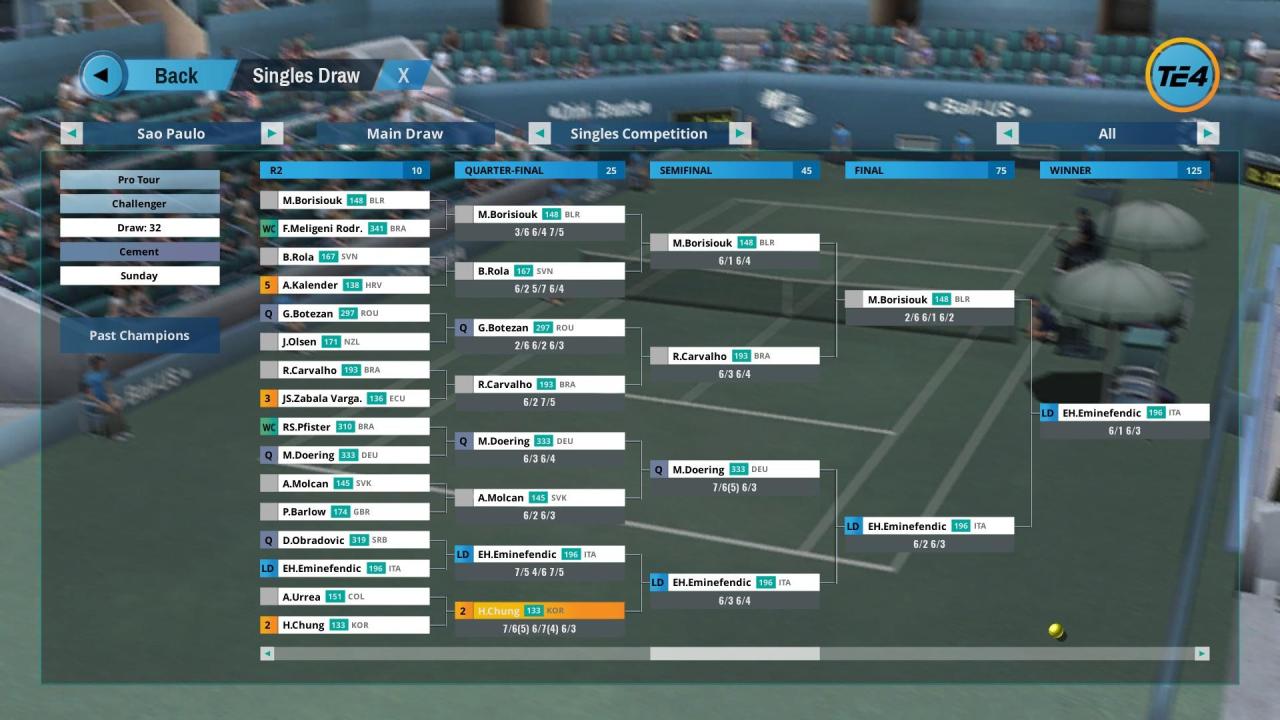
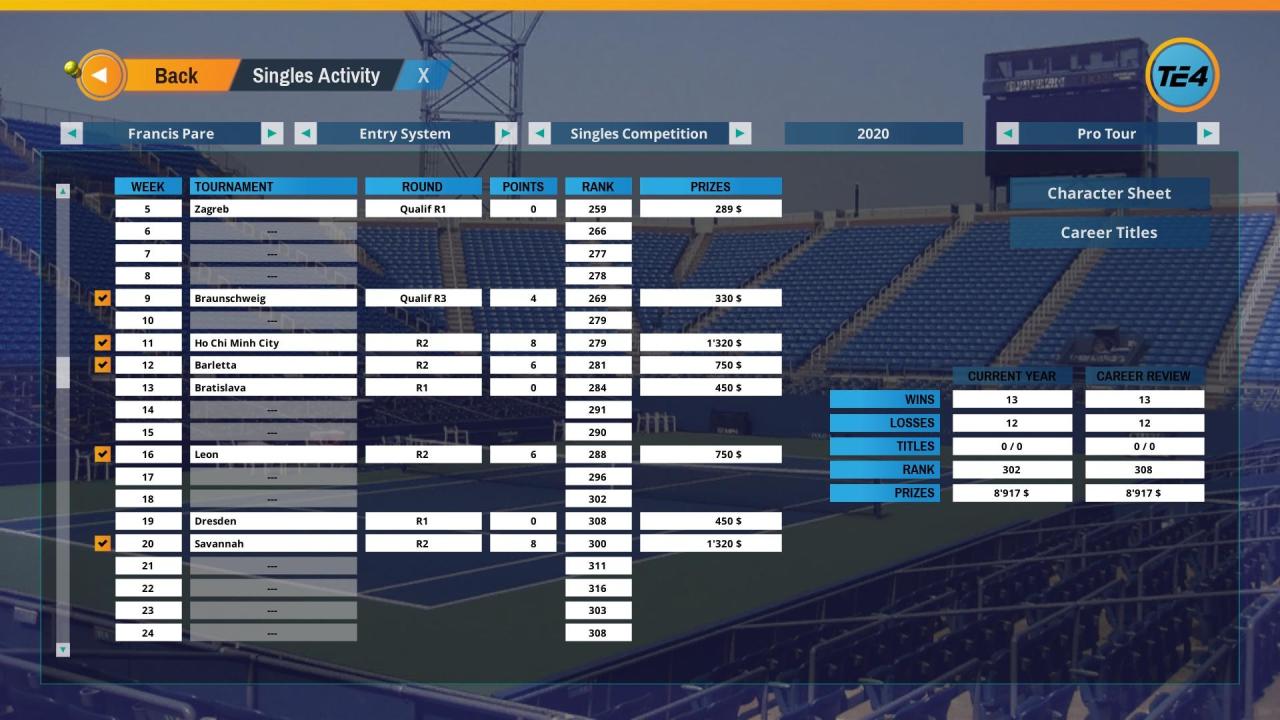
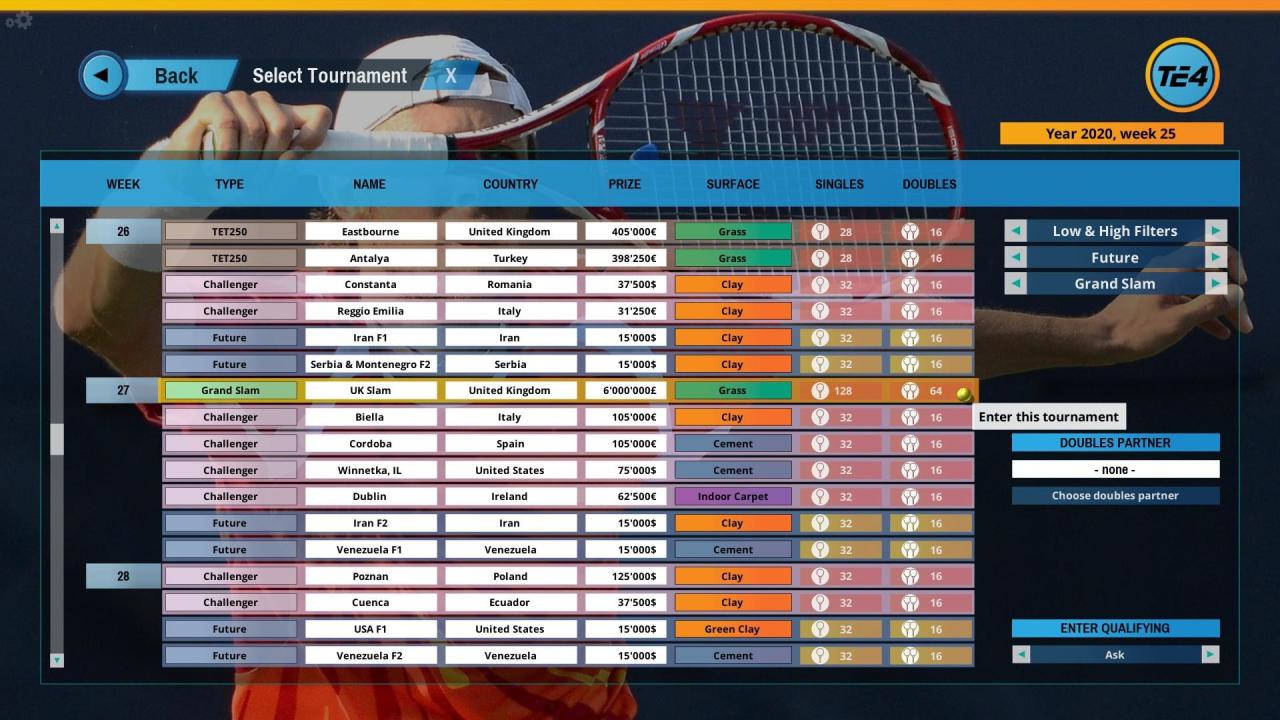
TE4 features one of the most complete World Tour ever made in a tennis video game. With over 3500 players evolving over several decades competing in more than 400 tournaments each year, from the low-rank Junior tournament qualifications to the top-level Pro event finals, both in singles and doubles competition, you’ll feel like diving into a real professional tennis player career.
The Tennis Elbow game engine is very open to modifications and a few mods are already available on Mana Games' forums.
Features:
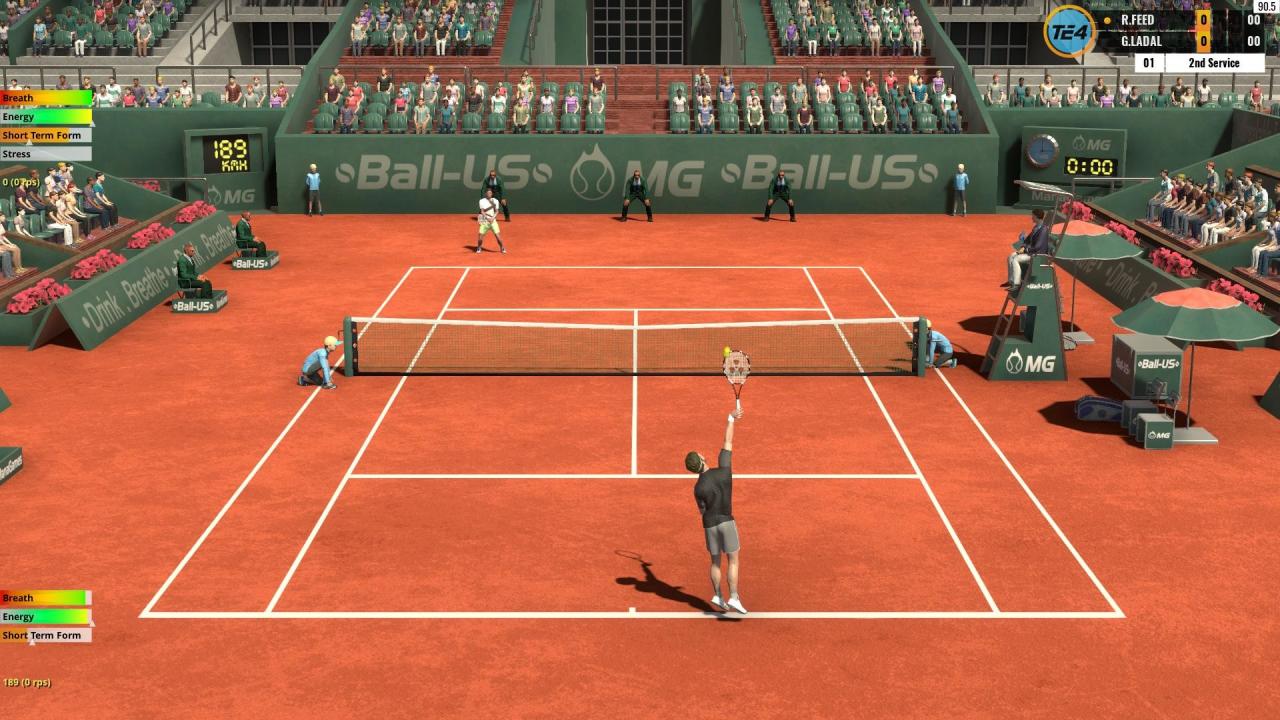
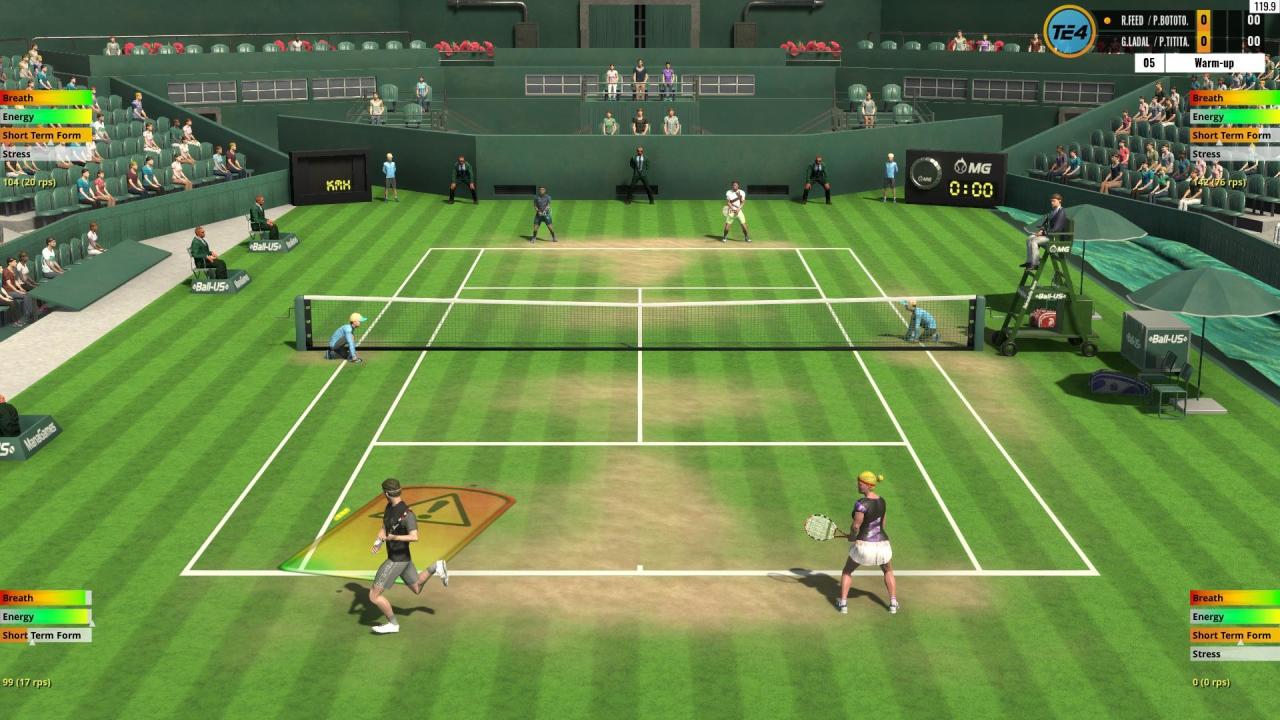
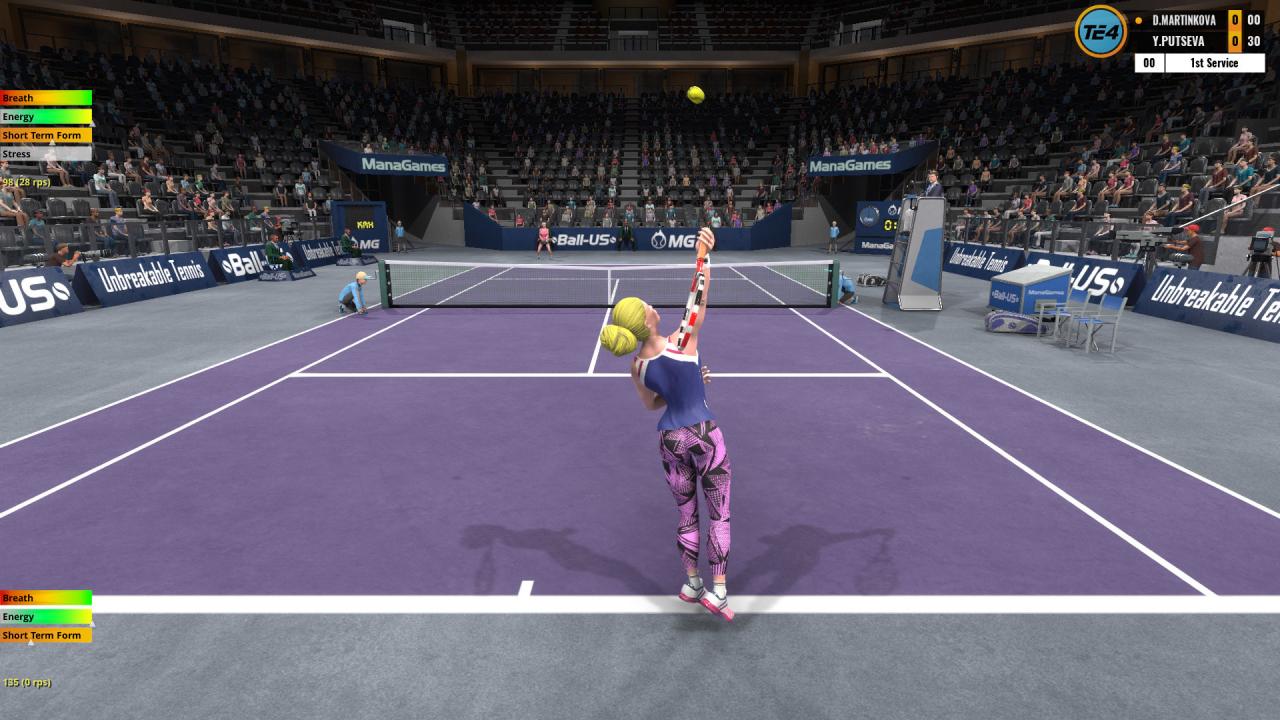
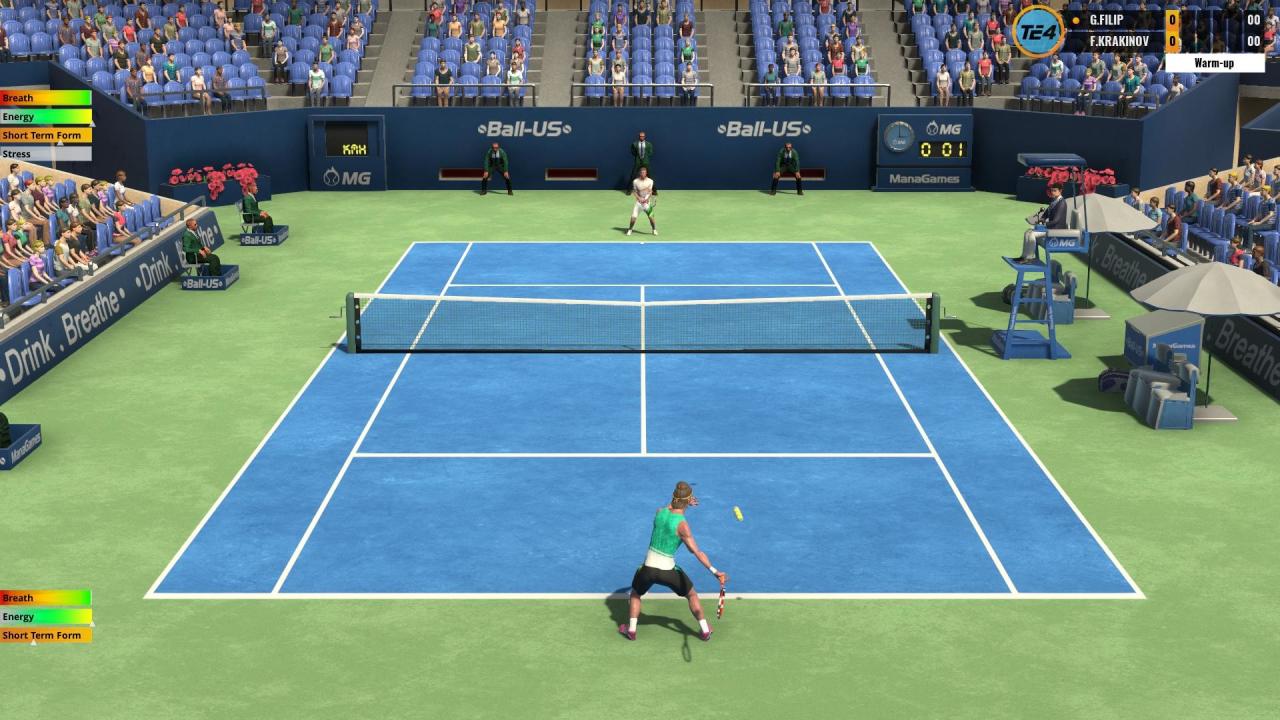
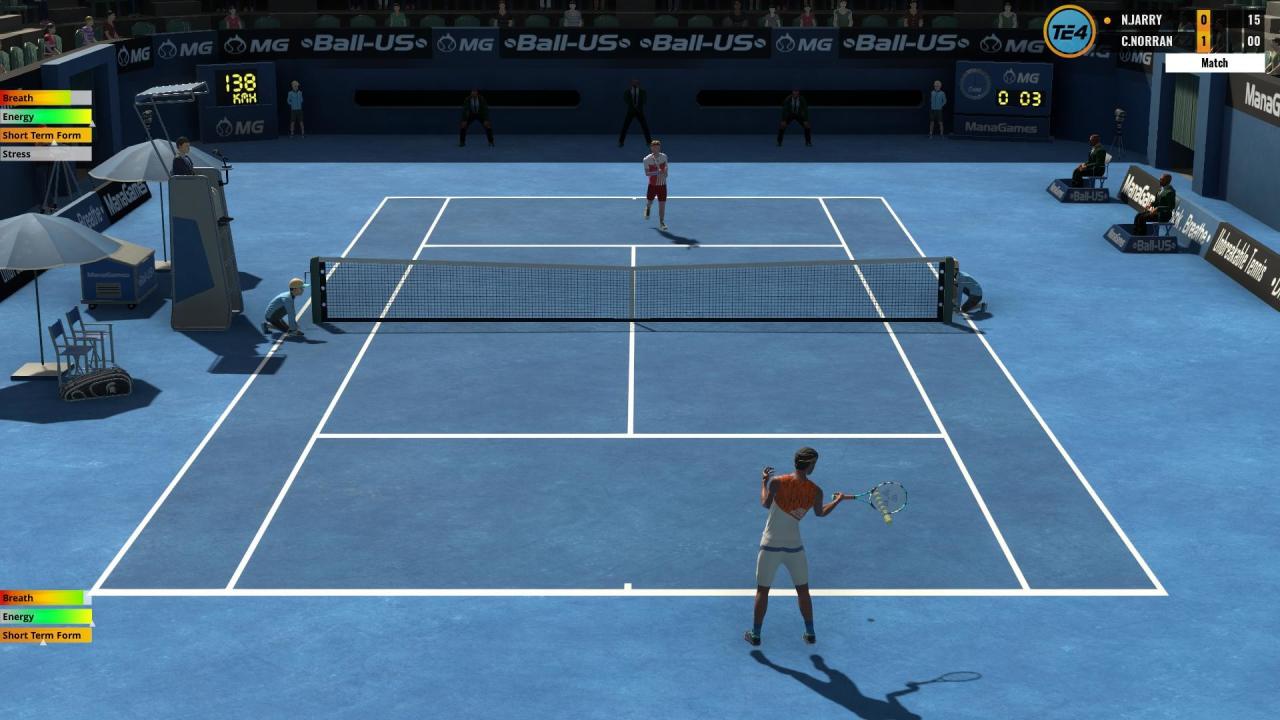
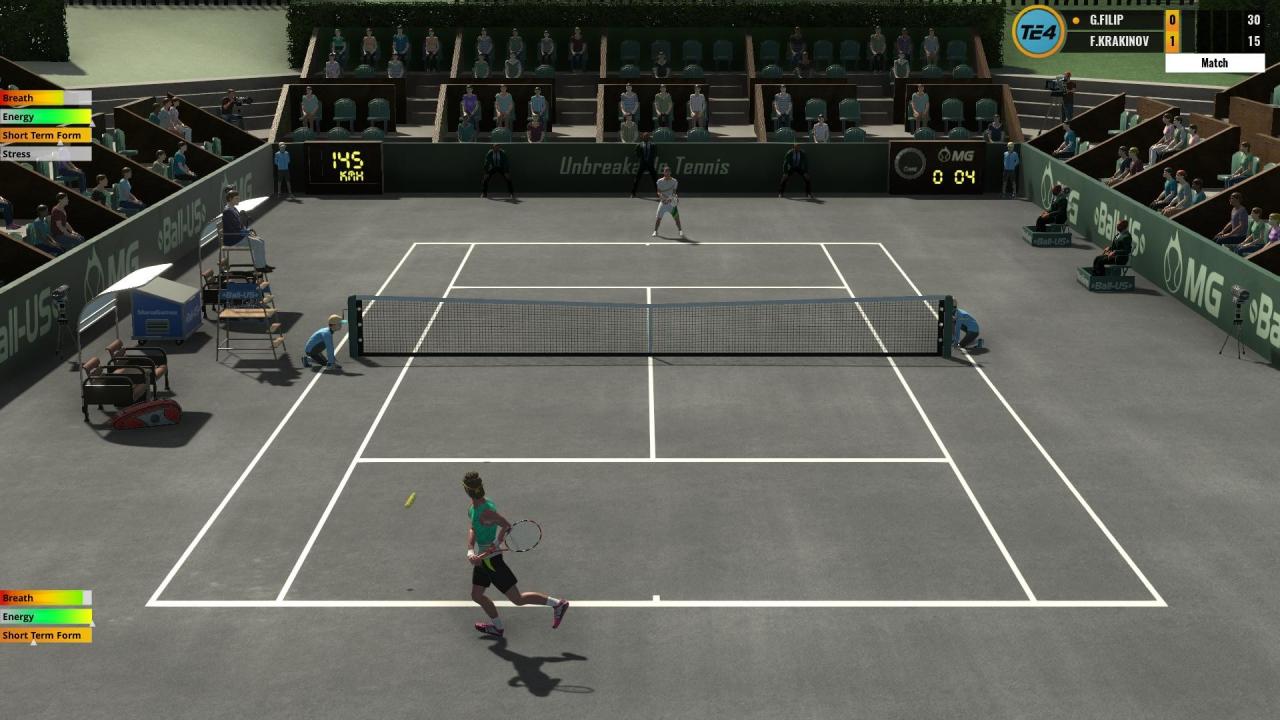
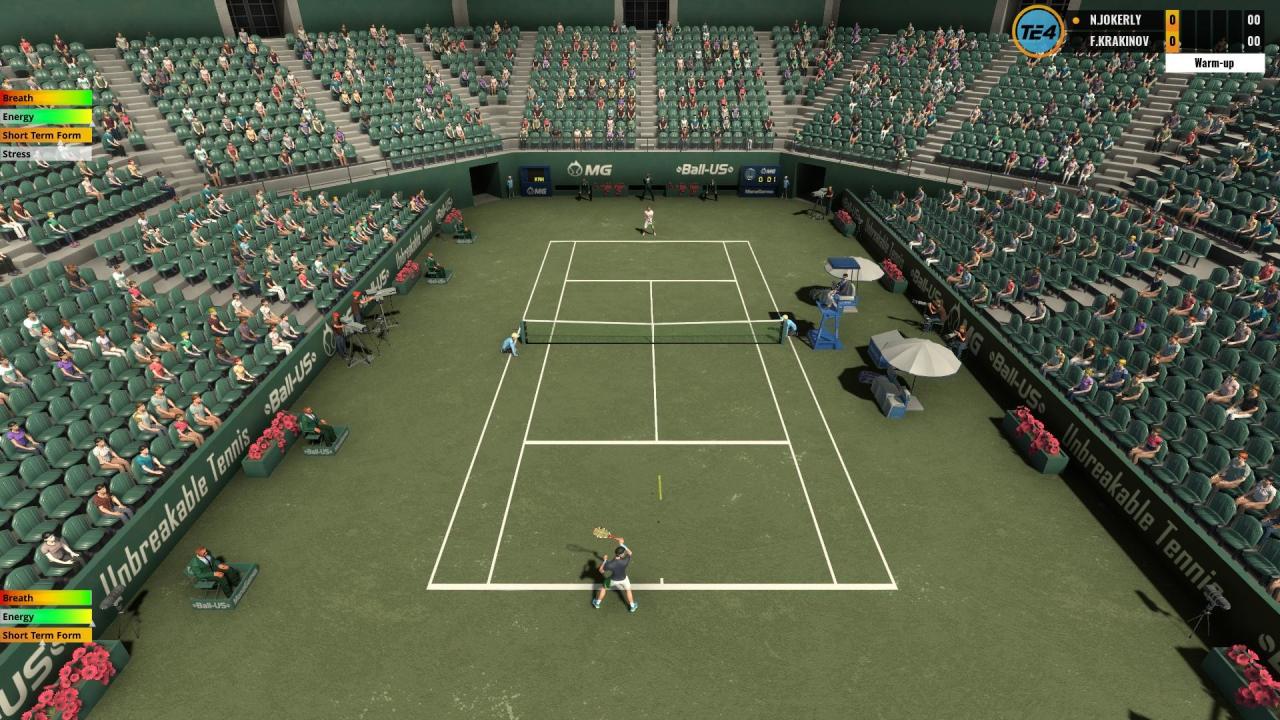
9 different court surfaces : clay, green clay, grass, hard, blue-green hard, classic synthetic, NewLine synthetic, indoor hard and indoor synthetic; each with a specific rebound
21 Stadiums around the world
400+ tournaments, with 3500+ players evolving over 70 years, from 1973 for men & 1983 for women, to 2042
Commentaries by Tennis TV commentator Darren Kilfara
The Country Cup
Singles & doubles competitions
Junior & Pro Tours
6 difficulty levels, each split into 10 sublevels
Full ranking system
3D male & female players, fully customizable
Singles, 3, and doubles games
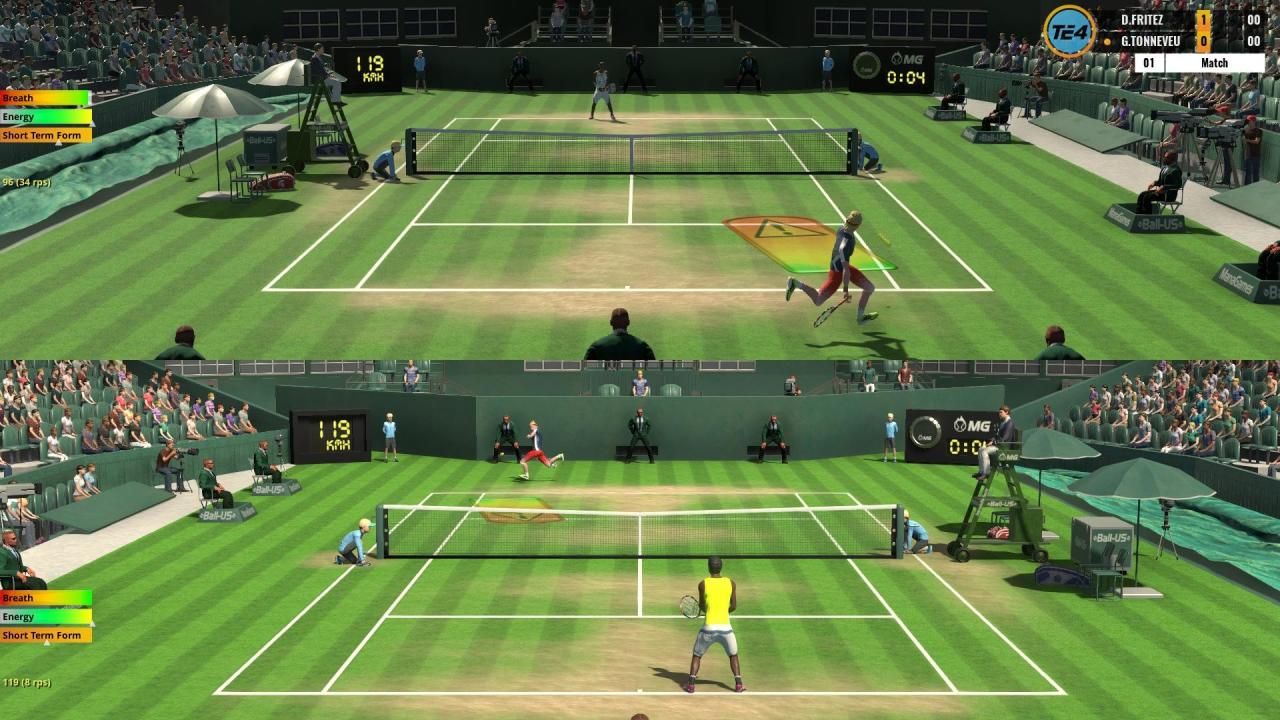
Split screen
Network : LAN and online games
1 to 6 games per set, in best of 1, 3 or 5 sets
7 camera modes
Moving sun and Night session
The game is very Modding-friendly
Warnings for the Online mode :
You can play doubles with 4 human players on 1 computer, or on 2 computers with 2 players on each, via LAN or Internet — but not on four separate computers.
Online play uses peer-to-peer (P2P) connections with no relay server. This means that if you're behind CGNAT, or if you cannot forward a UDP port or use UPnP on your Internet router, you won’t be able to host a match. You should still be able to join a host, though.
Systemanforderungen
- Setzt 64-Bit-Prozessor und -Betriebssystem voraus
- Betriebssystem *: Windows 10/8/7/Vista
- Prozessor: 1.5 Ghz Intel Pentium Core i3 or equivalent
- Arbeitsspeicher: 4 GB RAM
- Grafik: 1-GB DirectX 11 GPU or IGP: GeForce GTX 280 / Intel UHD Graphics 620 / Radeon HD 5750, or equivalent
- DirectX: Version 11
- Speicherplatz: 4 GB verfügbarer Speicherplatz
- Zusätzliche Anmerkungen: Low range IGPs are not supported ; the game runs on Intel HD5000 but the framerate is around 40-50 fps even on minimum settings.
- Setzt 64-Bit-Prozessor und -Betriebssystem voraus
- Betriebssystem *: Windows 10/7
- Prozessor: 3 Ghz Intel Pentium Core i5 or equivalent
- Arbeitsspeicher: 6 GB RAM
- Grafik: 4-GB DirectX 11 GPU: GeForce GTX 1060 / Radeon R9 390, or equivalent
- DirectX: Version 11
- Speicherplatz: 4 GB verfügbarer Speicherplatz
- Betriebssystem: MacOS 10.13 or later
- Prozessor: iMac Intel 1.5Ghz
- Grafik: GeForce GTX 280 / Intel UHD Graphics 620 / Radeon HD 5750, or equivalent
- Speicherplatz: 4 GB verfügbarer Speicherplatz
- Betriebssystem: MacOS 10.13 or later
- Prozessor: iMac Intel 3.0Ghz
- Grafik: GeForce GTX 1060 / Radeon R9 390, or equivalent
- Speicherplatz: 4 GB verfügbarer Speicherplatz
Screenshots & Videos

Key-Aktivierung
Um einen Key bei Steam einzulösen, benötigst du zunächst ein Benutzerkonto bei Steam. Dieses kannst du dir auf der offiziellen Website einrichten. Im Anschluss kannst du dir auf der Steam Webseite direkt den Client herunterladen und installieren. Nach dem Start von Steam kannst du den Key wie folgt einlösen:
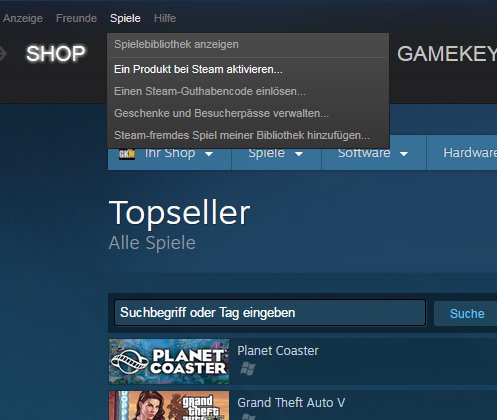
- Klicke oben im Hauptmenü den Menüpunkt "Spiele" und wähle anschließend "Ein Produkt bei Steam aktivieren...".
![]()
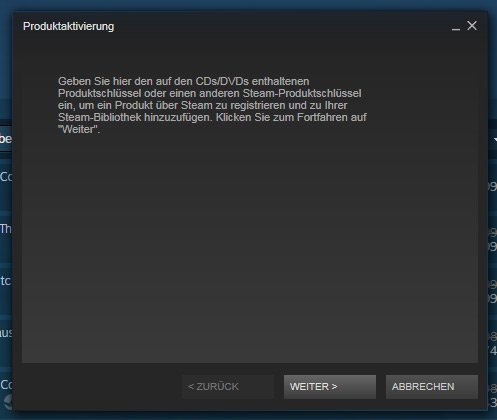
- Im neuen Fenster klickst du nun auf "Weiter". Bestätige dann mit einem Klick auf "Ich stimme zu" die Steam-Abonnementvereinbarung.
![]()
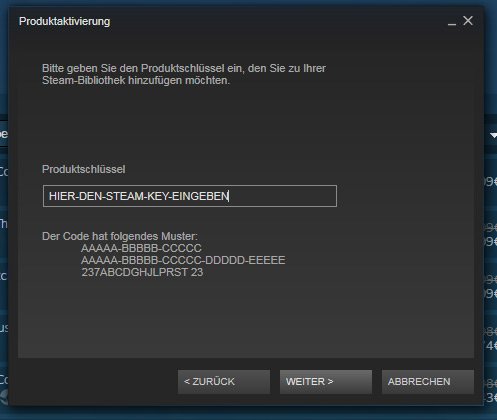
- Gebe in das "Produktschlüssel"-Feld den Key des Spiels ein, welches du aktivieren möchtest. Du kannst den Key auch mit Copy&Paste einfügen. Anschließend auf "Weiter" klicken und das Spiel wird deinem Steam-Account hinzugefügt.
![]()
Danach kann das Produkt direkt installiert werden und befindet sich wie üblich in deiner Steam-Bibliothek.
Das Ganze kannst du dir auch als kleines Video ansehen.
Um einen Key bei Steam einzulösen, benötigst du zunächst ein Benutzerkonto bei Steam. Dieses kannst du dir auf der offiziellen Website einrichten. Im Anschluss kannst du dir auf der Steam Webseite direkt den Client herunterladen und installieren. Nach dem Start von Steam kannst du den Key wie folgt einlösen:
- Klicke oben im Hauptmenü den Menüpunkt "Spiele" und wähle anschließend "Ein Produkt bei Steam aktivieren...".
![]()
- Im neuen Fenster klickst du nun auf "Weiter". Bestätige dann mit einem Klick auf "Ich stimme zu" die Steam-Abonnementvereinbarung.
![]()
- Gebe in das "Produktschlüssel"-Feld den Key des Spiels ein, welches du aktivieren möchtest. Du kannst den Key auch mit Copy&Paste einfügen. Anschließend auf "Weiter" klicken und das Spiel wird deinem Steam-Account hinzugefügt.
![]()
Danach kann das Produkt direkt installiert werden und befindet sich wie üblich in deiner Steam-Bibliothek.
Das Ganze kannst du dir auch als kleines Video ansehen.