
Ashes of Creation
(PC)

-
Kategorien:
-
Publisher:Intrepid Studios, Inc
-
Entwickler:Intrepid Studios, Inc
-
Releasedatum:11. Dez 2025 (vor 4 Monaten)
Key-Preisvergleich




Ausverkauft


Beschreibung
Ashes of Creation jetzt günstig als Steam Key kaufen. Vergleiche die Preise aller Keyshops und spare beim Kauf eines Ashes of Creation Game Keys.
A World Reborn from the Ashes
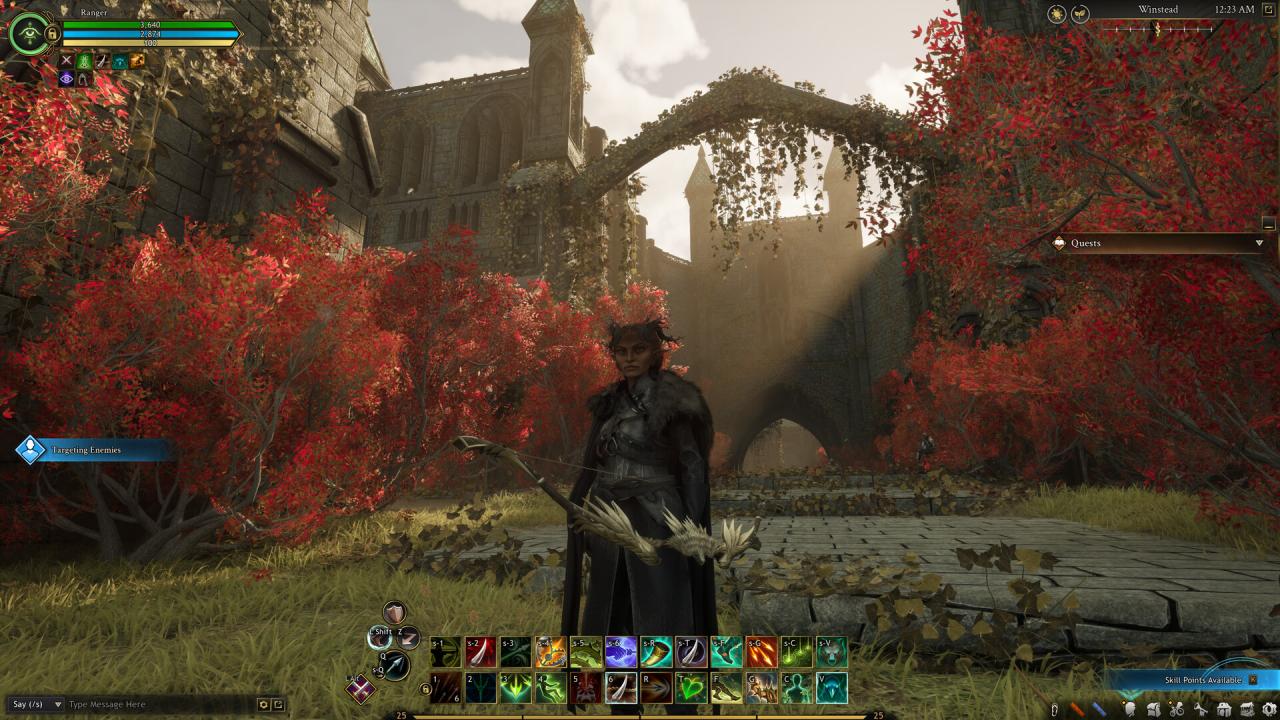
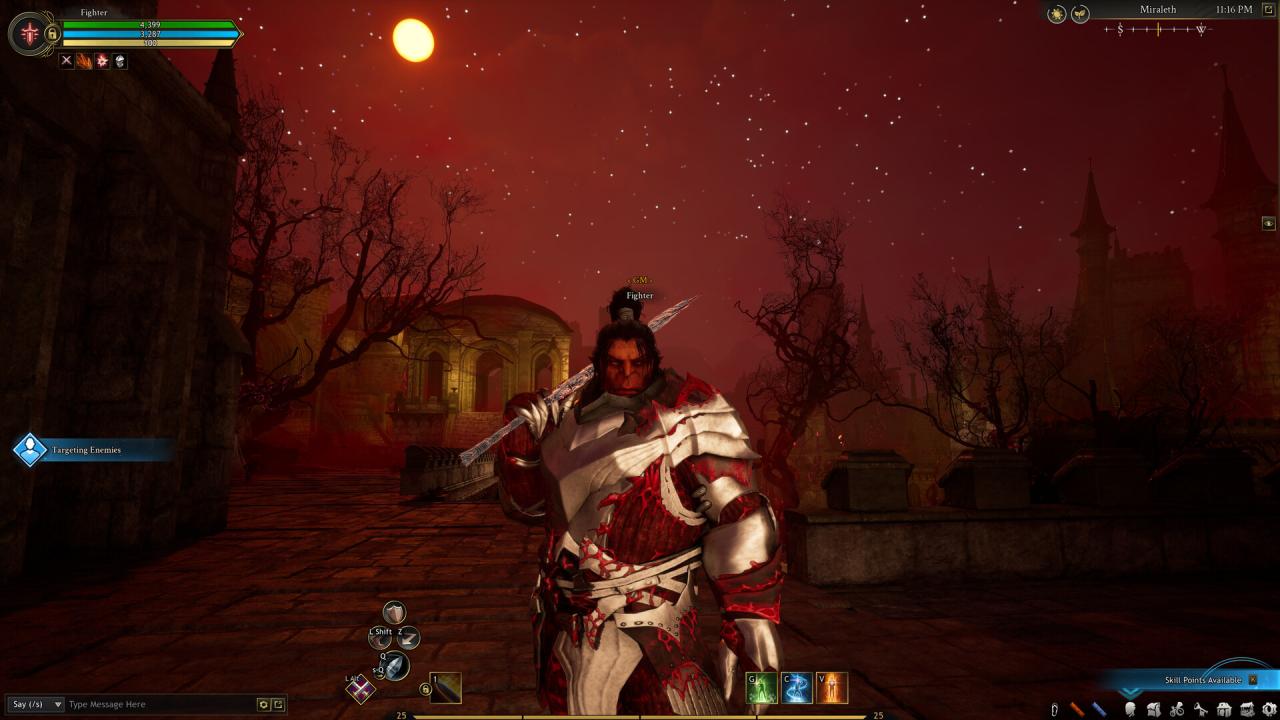
Ashes of Creation is a massively multiplayer online role-playing game (MMORPG) set in a high-fantasy world where player actions shape the world itself. Cities rise and fall, populations shift, and entire regions transform as players rebuild civilization on living, reactive continents. Every decision, individual or collective, leaves a lasting mark on the world of Verra
Whether you’re leading armies into battle, building empires through trade and craftsmanship, or uncovering ancient secrets long buried beneath the sands, Ashes of Creation offers an evolving journey defined by the choices of its players.
Key Features
A Living, Breathing World
Experience a dynamic world that evolves with player activity. Build and defend player-driven cities known as Settlements - each unlocking new content, quests, and political structures as they grow.Risk and Reward PvP & PvE
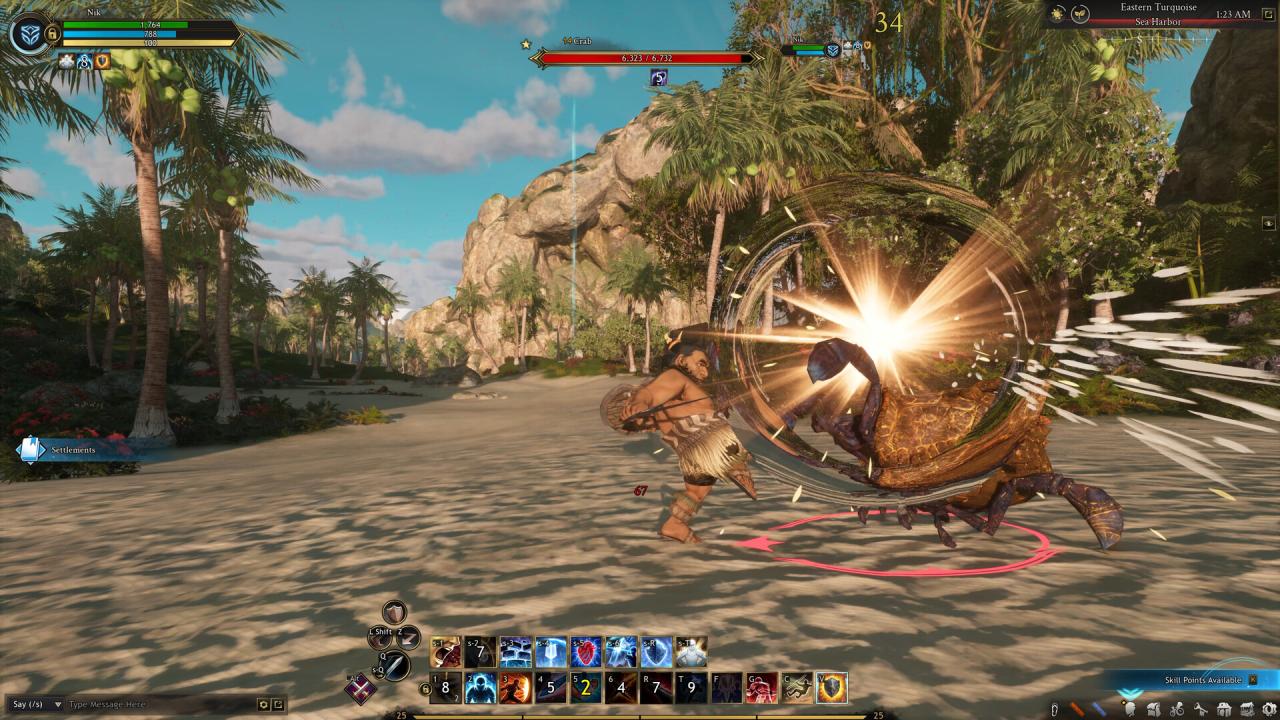
Engage in large-scale battles, dungeon raids, and open-world conflicts. Wage war and siege against your enemies, defend trade caravans, or venture into dangerous dungeons where glory and peril go hand in hand.Player-Driven Civilization
Every realm develops differently. Players influence the growth of settlements, elect mayors, form alliances, and wage wars that reshape the political landscape of Verra.Integral Crafting and Economy Systems
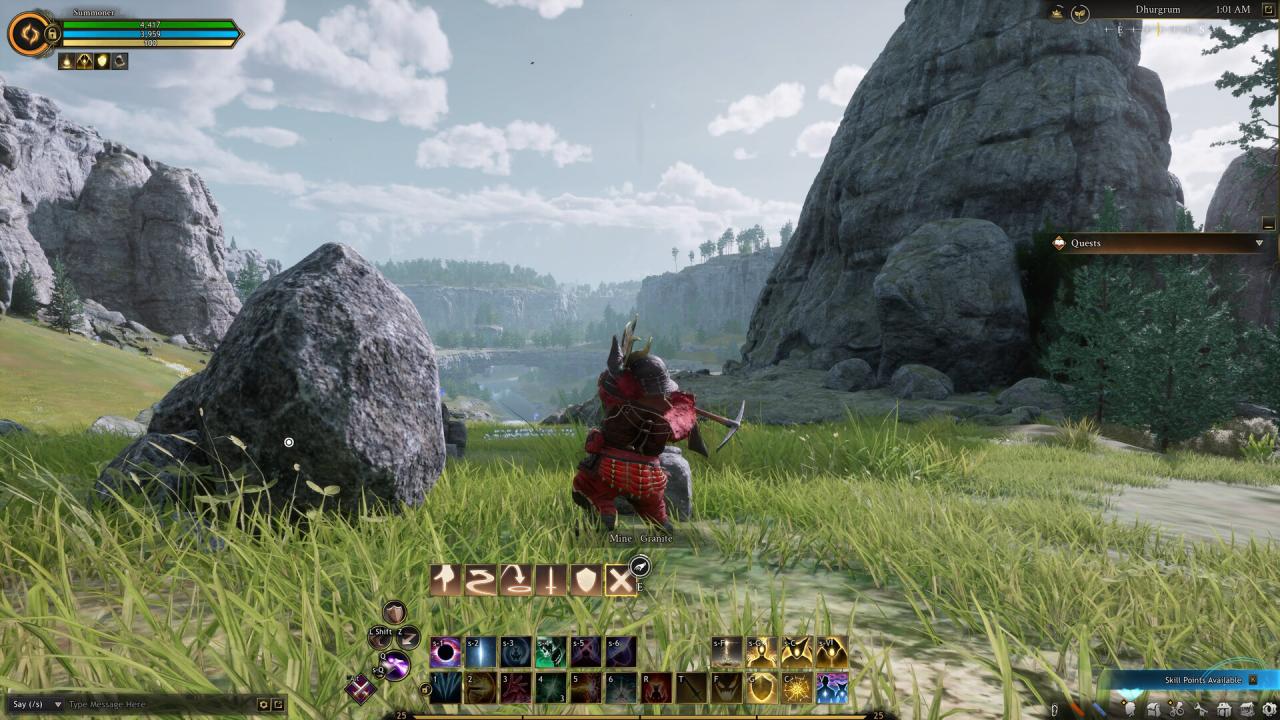
Gather resources, trade goods, and craft powerful items across a player-driven economy. Control resource routes, establish trade hubs, and profit from your influence, or sabotage your rivals’ Caravan supply lines.Epic Exploration and Adventure:
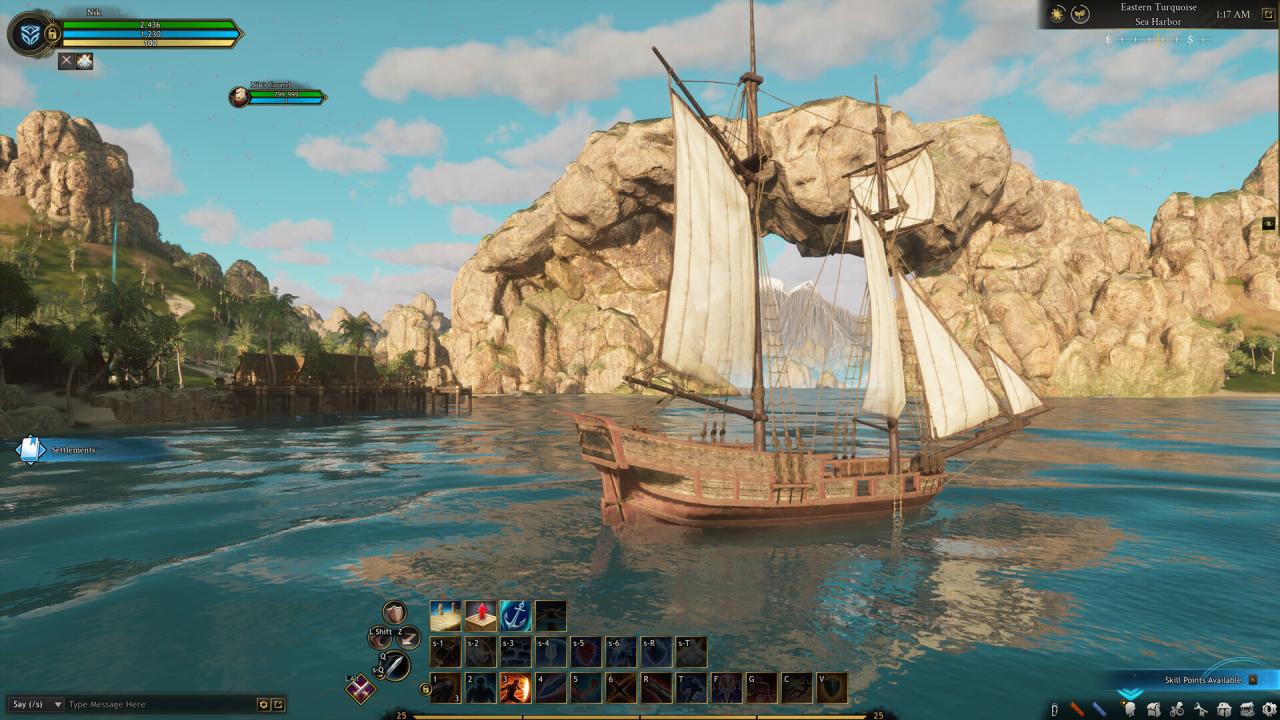
Discover a vast, hand-crafted world filled with unique biomes, ancient ruins, and hidden treasures. Mount up and explore the wild frontier- every journey holds the promise of discovery and danger.Boundless Archetype Combinations
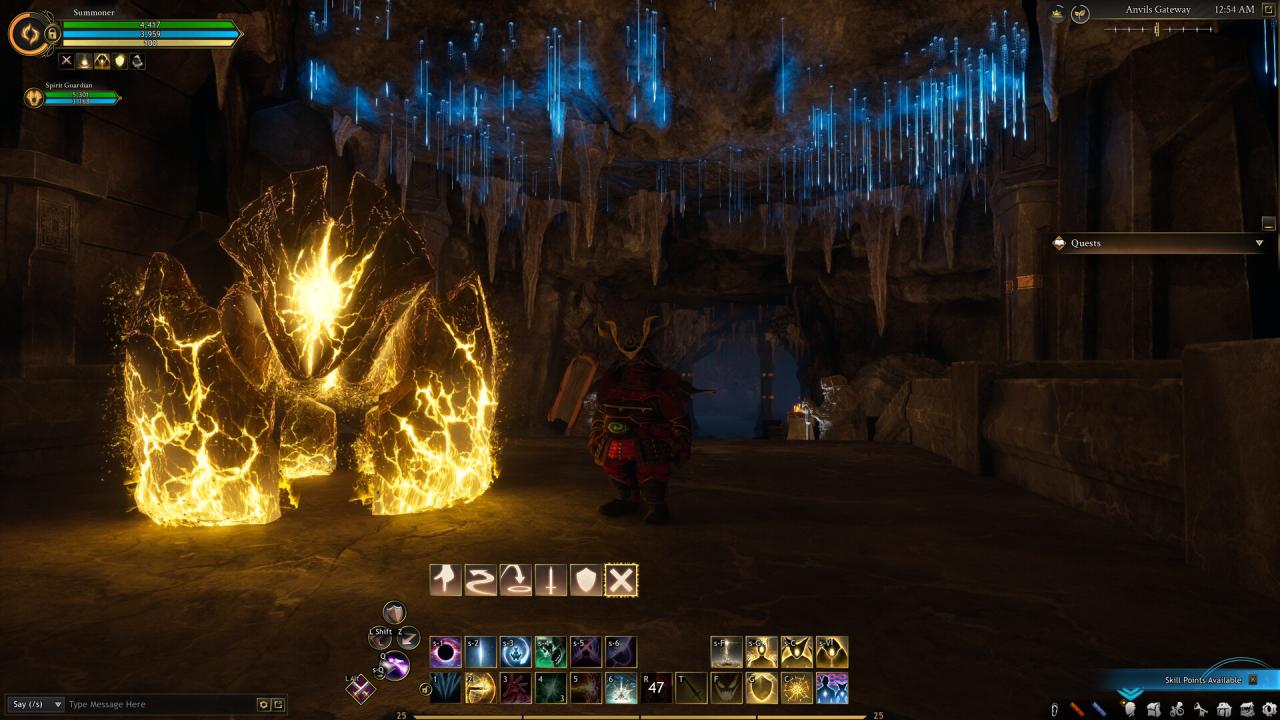
Choose from eight primary archetypes to create your character, customize your skills and abilities. Whether you’re a stealthy Rogue, a commanding Summoner, or a protective Tank, your playstyle will be entirely your own.Massive Warfare
Join hundreds of players in epic sieges and realm conflicts that decide the fate of nations. Gather resources, and command armies in battles that alter the course of the world.
Your Story, Written by Many
In Ashes of Creation, no two realms or stories are ever the same. The world evolves as players build, explore, and destroy, forging a tapestry of triumph and tragedy that belongs to its community. Will you be a builder of empires, a bringer of chaos, or a legend remembered in song?
The choice and the world is yours to shape.
Systemanforderungen
- Setzt 64-Bit-Prozessor und -Betriebssystem voraus
- Betriebssystem: Windows 10/11
- Prozessor: Intel i5 8400 | AMD Ryzen 5 2600
- Arbeitsspeicher: 12 GB RAM
- Grafik: Discrete NVIDIA GTX 1070 or equivalent (Integrated GPU is not supported)
- DirectX: Version 12
- Netzwerk: Breitband-Internetverbindung
- Speicherplatz: 120 GB verfügbarer Speicherplatz
- Zusätzliche Anmerkungen: SSD required (Internal SATA/M.2) / May be more than 120GB
- Setzt 64-Bit-Prozessor und -Betriebssystem voraus
- Betriebssystem: Windows 10/11
- Prozessor: Intel i7 8700 | AMD Ryzen 5 3600
- Arbeitsspeicher: 16 GB RAM
- Grafik: NVIDIA RTX 3070 or equivalent
- DirectX: Version 12
- Netzwerk: Breitband-Internetverbindung
- Speicherplatz: 120 GB verfügbarer Speicherplatz
- Zusätzliche Anmerkungen: SSD required (Internal M.2 NVME) / May be more than 120GB
Screenshots & Videos

Key-Aktivierung
Um einen Key bei Steam einzulösen, benötigst du zunächst ein Benutzerkonto bei Steam. Dieses kannst du dir auf der offiziellen Website einrichten. Im Anschluss kannst du dir auf der Steam Webseite direkt den Client herunterladen und installieren. Nach dem Start von Steam kannst du den Key wie folgt einlösen:
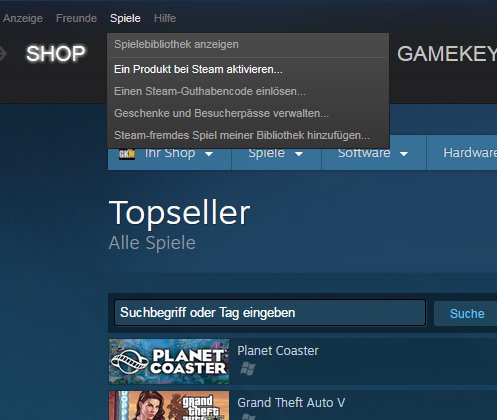
- Klicke oben im Hauptmenü den Menüpunkt "Spiele" und wähle anschließend "Ein Produkt bei Steam aktivieren...".
![]()
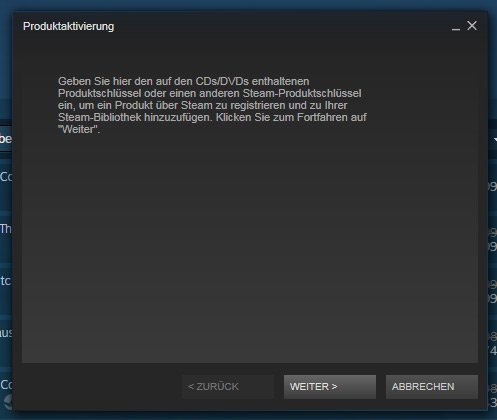
- Im neuen Fenster klickst du nun auf "Weiter". Bestätige dann mit einem Klick auf "Ich stimme zu" die Steam-Abonnementvereinbarung.
![]()
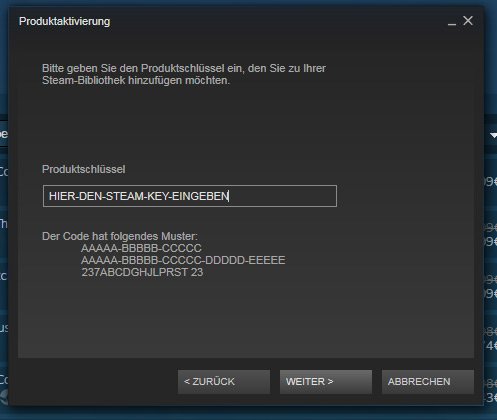
- Gebe in das "Produktschlüssel"-Feld den Key des Spiels ein, welches du aktivieren möchtest. Du kannst den Key auch mit Copy&Paste einfügen. Anschließend auf "Weiter" klicken und das Spiel wird deinem Steam-Account hinzugefügt.
![]()
Danach kann das Produkt direkt installiert werden und befindet sich wie üblich in deiner Steam-Bibliothek.
Das Ganze kannst du dir auch als kleines Video ansehen.
Um einen Key bei Steam einzulösen, benötigst du zunächst ein Benutzerkonto bei Steam. Dieses kannst du dir auf der offiziellen Website einrichten. Im Anschluss kannst du dir auf der Steam Webseite direkt den Client herunterladen und installieren. Nach dem Start von Steam kannst du den Key wie folgt einlösen:
- Klicke oben im Hauptmenü den Menüpunkt "Spiele" und wähle anschließend "Ein Produkt bei Steam aktivieren...".
![]()
- Im neuen Fenster klickst du nun auf "Weiter". Bestätige dann mit einem Klick auf "Ich stimme zu" die Steam-Abonnementvereinbarung.
![]()
- Gebe in das "Produktschlüssel"-Feld den Key des Spiels ein, welches du aktivieren möchtest. Du kannst den Key auch mit Copy&Paste einfügen. Anschließend auf "Weiter" klicken und das Spiel wird deinem Steam-Account hinzugefügt.
![]()
Danach kann das Produkt direkt installiert werden und befindet sich wie üblich in deiner Steam-Bibliothek.
Das Ganze kannst du dir auch als kleines Video ansehen.